 By
Byanydoc: Convert Any Office File to LLM-Ready Markdown in <5ms
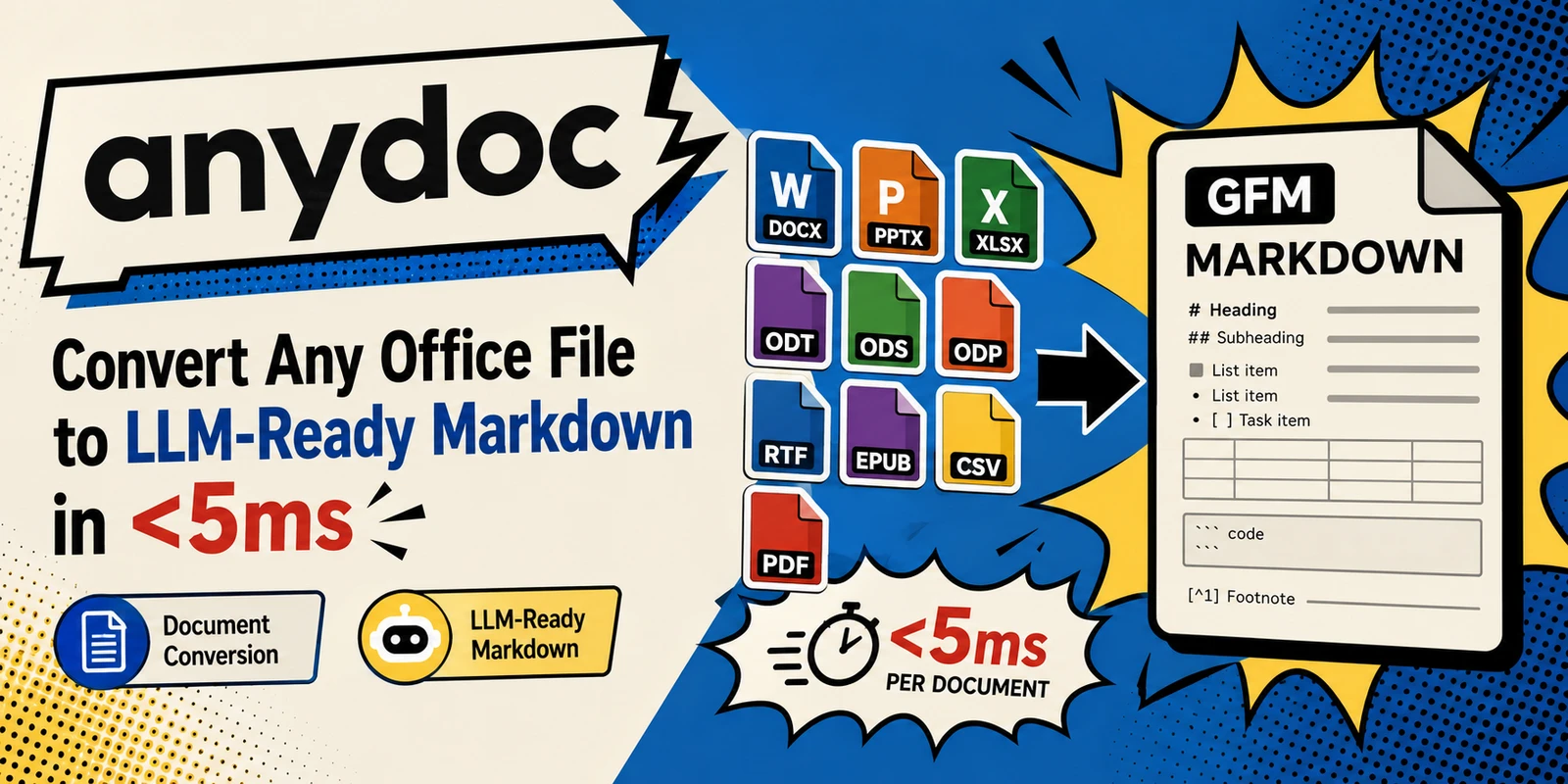
anydoc is a fast Rust library that converts Word, PowerPoint, Excel, OpenDocument, RTF, EPUB, CSV, and PDF files into clean GitHub-Flavored Markdown. Built for LLM pipelines, it runs fully locally with no ML models and emits one consistent output across 14 formats in under 5ms per document.
What it is
anydoc is an open-source (MIT) document-to-Markdown converter created by Firecrawl. At its core is a pure-Rust engine that turns office and document files into GitHub-Flavored Markdown (GFM) — the same dialect used in code repos and LLM context windows. It is the engine behind Firecrawl Parse, and it ships with first-class bindings for Node.js, Python, the browser (WebAssembly), and a ready-to-use Agent Skill.
The problem it solves
AI pipelines rarely receive one tidy file type. A RAG system, an agent, or a knowledge-base ingester might be handed .docx resumes, .pptx decks, .xls spreadsheets, .pdf reports, and .csv exports all in the same drop folder. Most converters handle only a slice of those formats, produce inconsistent output, or lean on heavyweight, slow dependencies (LibreOffice, ML models, external services). anydoc collapses that mess into a single, predictable Markdown stream.
Key features
- One output for every format. All formats parse into a shared document model and render through a single Markdown serializer, so escaping, tables, heading anchors, and footnotes behave identically whether the input is a
.docfrom 2003 or a.pptxfrom yesterday. - Full document structure. Headings with anchors, bold/italic/strikethrough, inline code & code blocks, links and cross-references, nested/task lists (preserving source numbering), tables with merged cells and header rows, block quotes, footnotes/endnotes, and speaker notes.
- Equations as LaTeX. Word/PPT (OMML), OpenDocument/EPUB (MathML), and RTF equations become GFM math:
$...$inline and$$blocks. - Embedded assets. Images and embedded objects render as alt text in the Markdown; the raw bytes stay available on the document model tagged with their media type. External-URL images become ordinary Markdown images.
- Content-based format detection. The format is read from the file bytes (PDF header, RTF group, OLE streams, ZIP mimetype), so mislabeled files still convert correctly.
- Fast. Pure Rust, no ML models, no external services — median conversion under 5ms per document.
- Bindings that stay out of the way. Node.js runs on the libuv thread pool (non-blocking); Python releases the GIL. TS types and Python stubs ship in the packages.
- PDF support built in. Text-based PDFs convert locally via pdf-inspector, no OCR service required.
- Agent ready. One
npx skills add firecrawl/anydoclets Claude Code, Codex, Cursor, OpenCode, and other compatible agents read office documents.
Supported formats
| Format | Extensions |
|---|---|
| Word | .doc, .docx, .docm |
| PowerPoint | .ppt, .pps, .pot, .pptx, .pptm, .ppsx, .ppsm |
| Excel | .xls, .xlsx, .xlsm, .xlsb |
| OpenDocument | .odt, .ods, .odp |
| Rich Text Format | .rtf |
| EPUB | .epub |
| CSV | .csv |
.pdf |
How it works
document bytes
  ├─► format detection   → content markers, not the extension
  ├─► format parser       → one per format (doc, docx, ppt, pptx, xls,
  │                         xlsx, odt/ods/odp, rtf, epub, csv)
  │      └─► Document      → shared model: blocks, inlines, tables,
  │                         footnotes, assets
  │            └─► GFM serializer → Markdown
  └─► PDF → pdf-inspector → Markdown directly
Because every format funnels through the same model and serializer, a fix made for one format (e.g. table escaping in .docx) automatically applies to all others.
Installation & usage
Agent skill
npx skills add firecrawl/anydocCLI
npx @firecrawl/anydoc report.docx               # Markdown to stdout
npx @firecrawl/anydoc slides.pptx -o slides.md  # to a file
npx @firecrawl/anydoc - --format csv < data.csv # read from stdin
# permanent install: npm install -g @firecrawl/anydoc
Node.js
npm install @firecrawl/anydocimport { toMarkdown, toMarkdownBytes, toDocument } from '@firecrawl/anydoc';
const markdown = await toMarkdown('report.docx');
const fromBytes = await toMarkdownBytes(bytes); // format auto-detected
const fromCsv = await toMarkdownBytes(bytes, 'csv'); // name signature-less formats
const document = await toDocument(bytes); // includes embedded assetsPython
pip install firecrawl-anydocimport anydoc
markdown = anydoc.to_markdown("report.docx")
markdown = anydoc.to_markdown_bytes(data)
markdown = anydoc.to_markdown_bytes(data, "csv")
document = anydoc.to_document(data)Browser (WebAssembly)
npm install @firecrawl/anydoc-wasmimport init, { toMarkdownBytes, toDocument } from '@firecrawl/anydoc-wasm';
await init();
const markdown = toMarkdownBytes(bytes);Files converted in-browser never leave the machine. A live demo runs at https://firecrawl.github.io/anydoc/.
Rust
cargo add anydoclet markdown = anydoc::to_markdown("report.docx")?;
let markdown = anydoc::to_markdown_bytes(&bytes, None)?;
let markdown = anydoc::to_markdown_bytes(&bytes, anydoc::Format::Csv)?;
let document = anydoc::to_document(&bytes, None)?;Benchmark (vs. alternatives)
Measured on 100 real-world documents across 14 formats; scores 0–100 (higher is better), speed = median ms per document:
| tool | formats | median ms | score | completeness | structure | formatting | cleanliness |
|---|---|---|---|---|---|---|---|
| anydoc | 14/14 | 4.4 | 81 | 87 | 79 | 78 | 81 |
| libreoffice | 12/14 | 1129.5 | 40 | 59 | 42 | 40 | 24 |
| unstructured | 8/14 | 572.9 | 63 | 76 | 59 | 51 | 63 |
| markitdown | 6/14 | 134.8 | 65 | 78 | 66 | 60 | 52 |
| pandoc | 5/14 | 102.1 | 56 | 74 | 57 | 56 | 38 |
| docling | 4/14 | 513.6 | 57 | 60 | 60 | 57 | 51 |
| mammoth | 1/14 | 52.5 | 70 | 84 | 71 | 75 | 51 |
anydoc was the only tool to cover all 14 formats, scored highest on every judged format, and was an order of magnitude faster than the next-fastest converter. Quality was judged blind by an LLM (Claude Sonnet 5) against LibreOffice-rendered ground truth (482 verdicts, position-bias cancelled).
Strengths
- Truly multi-format: one tool replaces mammoth (docx-only), markitdown, pandoc, docling, etc.
- Blazing speed with zero runtime dependencies (no ML, no LibreOffice).
- Consistent, predictable Markdown output — ideal for embeddings, RAG, and agent context.
- Runs locally and in the browser; nothing leaves the machine unless you choose the hosted API.
- Clean, minimal API across four ecosystems (Rust, Node, Python, WASM).
- Permissive MIT license; easy to self-host or vendor.
Limitations
- No local OCR. Image-only/scanned PDFs and raster content return
Unsupported. The hosted Firecrawl Parse API adds OCR for those cases. - Encrypted/password-protected files are rejected (
ConvertError::Encrypted). - Images are alt-text only in the Markdown; raw bytes are available on the document model but are not embedded inline.
- Malformed or structurally unusable files raise
Malformed; very large/complex files may hit fixed safety limits (ResourceLimit: decompression, nesting, node count). - Output is Markdown, not a rich structured JSON by default (though
toDocumentexposes the full model with assets when you need it).
Target users & use cases
- AI/RAG engineers ingesting heterogeneous document corpora into a uniform Markdown representation.
- Agent builders who want their coding agents to read office docs (via the Agent Skill).
- Data/platform teams needing fast, dependency-free document normalization in pipelines.
- Privacy-sensitive workflows that must convert files fully on-device (local binary or in-browser WASM).
Pricing & availability
- Self-hosted / library: Free, open source under the MIT license. Distributed via crates.io (
anydoc), npm (@firecrawl/anydoc,@firecrawl/anydoc-wasm), and PyPI (firecrawl-anydoc). - Hosted API (Firecrawl Parse): adds OCR and managed scaling; commercial pricing applies (Firecrawl subscription). The open-source library itself has no usage cost.
- Browser demo: free, runs locally at https://firecrawl.github.io/anydoc/.
How it compares
Where legacy tools each cover a narrow slice (mammoth = docx only; pandoc = mostly text/markup; markitdown = a handful of office types; LibreOffice = accurate but slow and heavy), anydoc is the only option in the benchmark that covers all 14 formats with the highest quality scores and the fastest speed. If you need OCR on scanned PDFs or a rich JSON document tree out of the box, pair it with Firecrawl Parse or post-process the toDocument model.